Sketch to Render AI Prompt
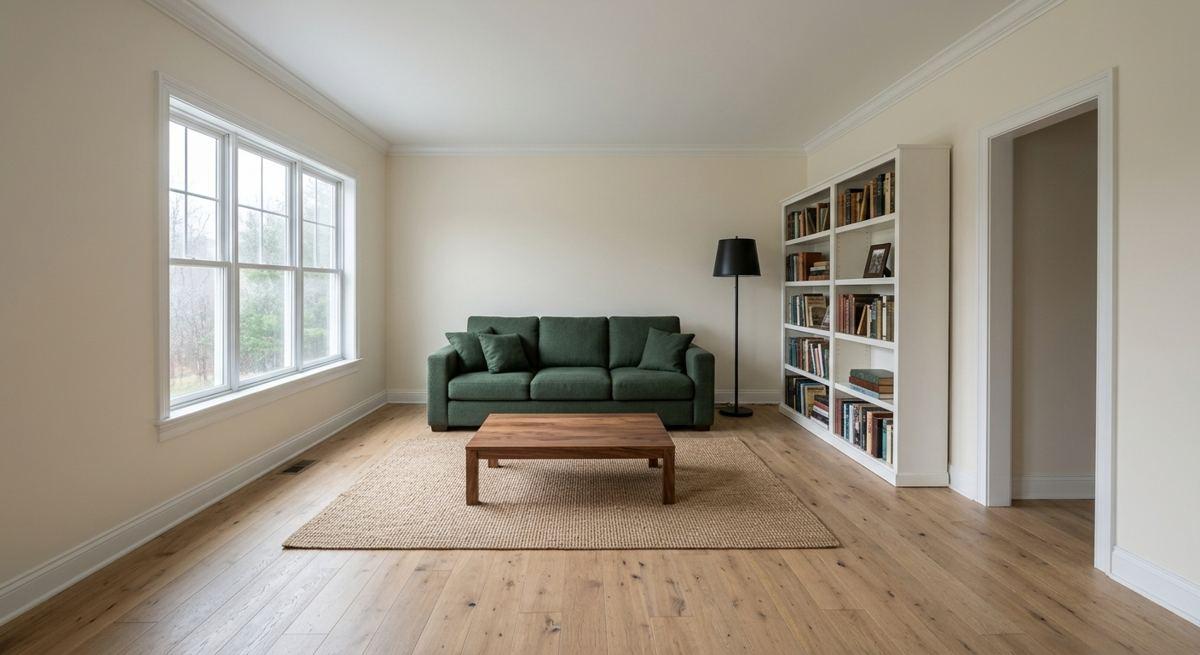
To turn a sketch into a realistic render, tell the model to keep the layout, proportions and furniture positions exactly as drawn, then name the materials and the light. The sketch does most of the work: in our runs the geometry held even with a two-word prompt. What the words decide is the materials. All five prompts below were run on the same pencil sketch.
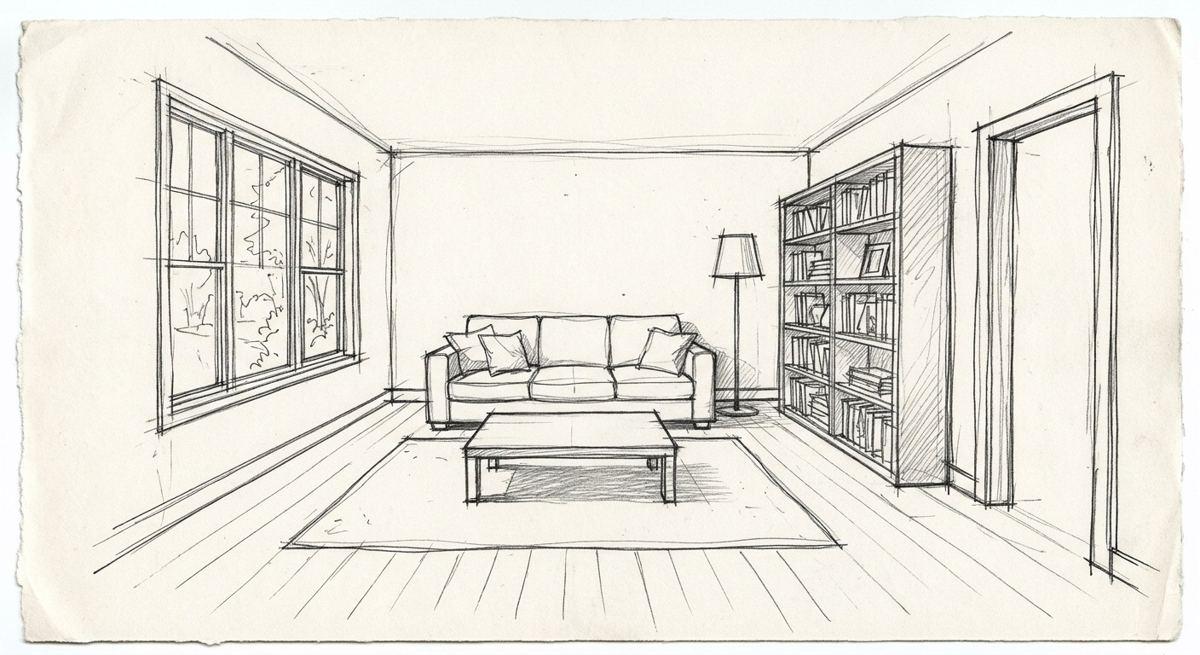
The sketch every prompt on this page started from. It was itself generated for this test, as a stand-in for a hand sketch.
1. Sketch to photo, layout locked
Turn this sketch into a realistic photo of the same room. Keep the layout, the proportions, the window, the doorway, the bookshelf and every piece of furniture exactly where they are in the sketch. Daylight from the window, eye-level photo, natural colour.
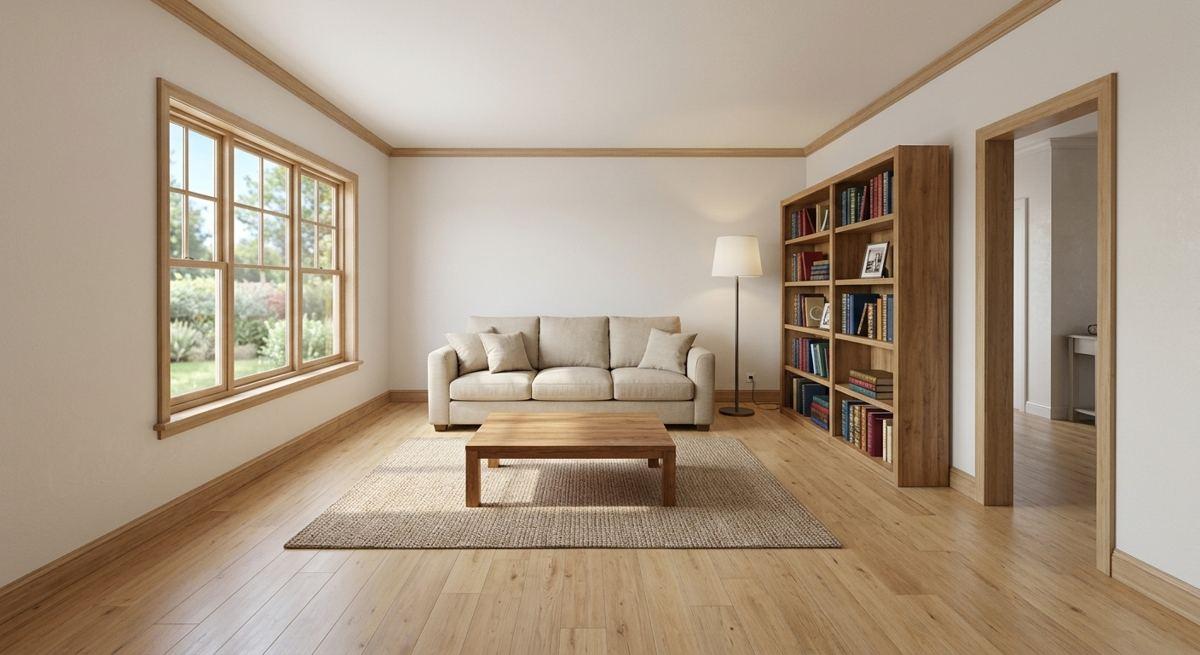
Window, doorway, bookshelf, sofa, lamp and table are where the sketch put them. Without materials named, the model chose a beige sofa and a mid-oak floor.
2. With a list of materials
Turn this sketch into a realistic photo of the same room, keeping the layout and proportions exactly. Materials: wide oak floorboards, walls painted #EDE6DA, a sofa in green wool, a walnut coffee table, a jute rug, a black metal floor lamp, the bookshelf in white-painted wood full of books. Overcast daylight, eye-level photo, 35mm lens.
Every named material came back: green wool sofa, white bookshelf, jute rug, black lamp, walnut table. This is the prompt to copy: the sketch fixes the room, the list fixes the finishes.
3. 'Render this.'
Render this.
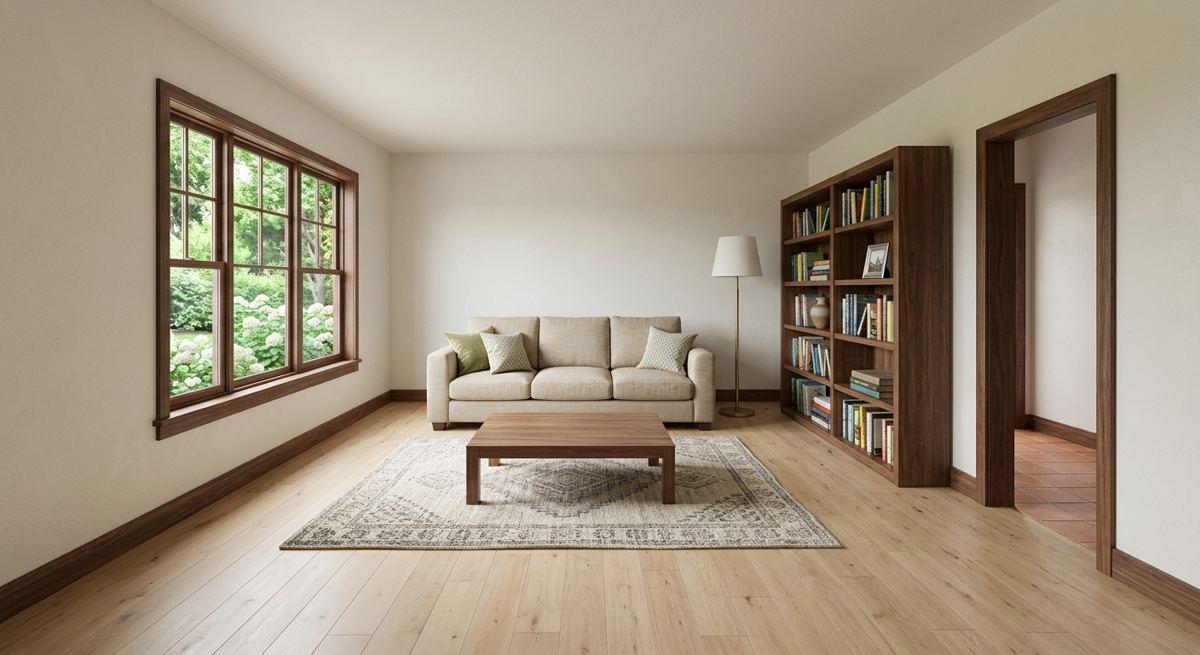
The geometry still held, which shows how strongly a sketch guides the model. The materials are its own choice: a patterned rug, dark wood bookshelf and window frame.
4. The same room at night
Turn this sketch into a realistic photo of the same room in the evening. Keep the layout, proportions, window, doorway, bookshelf and furniture positions exactly. The floor lamp and one table lamp on, warm 2700K light, the window dark blue, the rest of the room in soft shadow. Eye-level photo, slight grain.
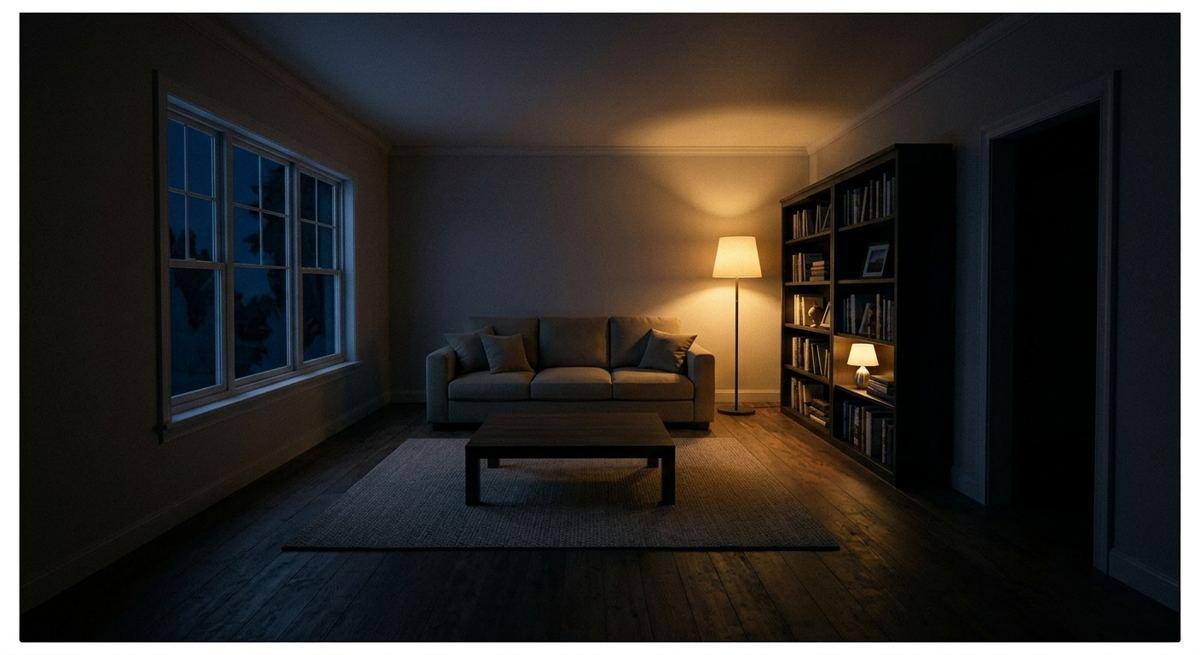
Two lamps at 2700K and a dark blue window turned the same layout into an evening scene. Useful when a client asks what the room feels like after dark.
5. Restyled in Japandi
Turn this sketch into a realistic photo of the same room in a Japandi style. Keep the geometry, the window, the doorway and the furniture positions exactly, change only materials and colours: pale ash floor, limewash walls, a low linen sofa, a low ash coffee table, a paper floor lamp, the bookshelf in pale wood with few objects. Soft daylight, eye-level photo.
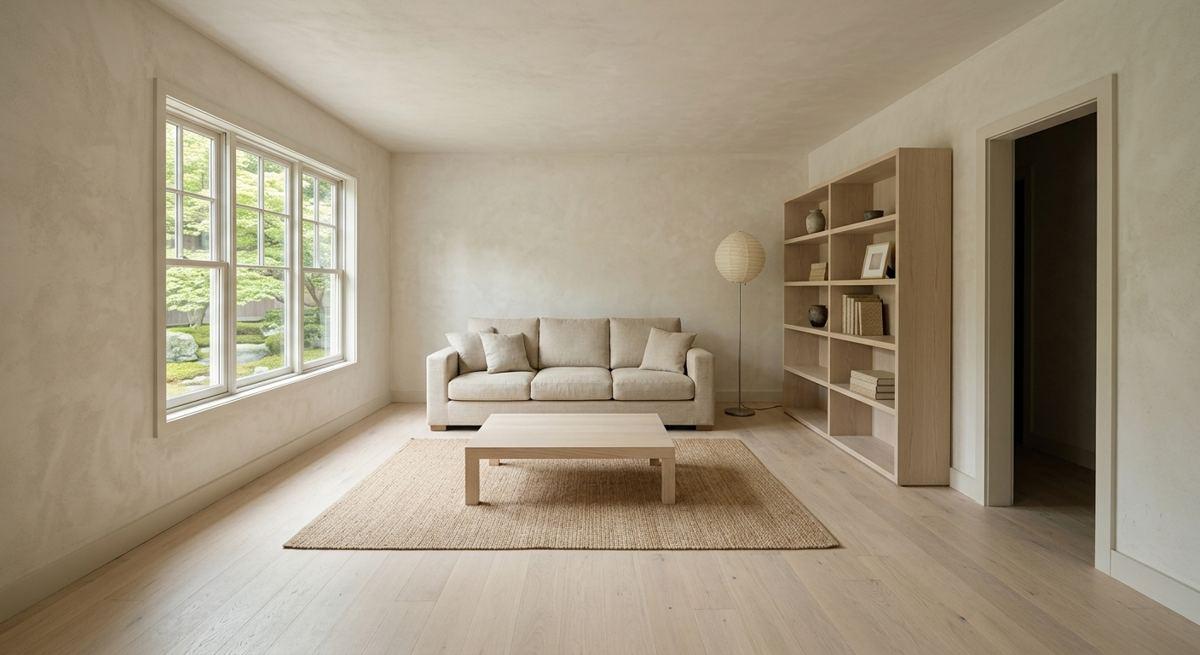
Pale ash, limewash walls, a paper lamp and a sparse shelf, with the furniture still where it was drawn. One sketch can show several styles without redrawing.
What these runs showed
- Start with 'turn this sketch into a realistic photo of the same room'.
- Say what must stay exactly where it is drawn: windows, doors, furniture.
- Then list the materials. The sketch fixes the room; the words fix the finishes.
- Add the light: time of day, which lamps are on.
- Keep the sketch clean. Clear lines and simple hatching gave the most faithful results.
Starting from a photo of your own room
Every prompt here can be run on a photo of your own space. In Styly you upload the photo, choose what to change and a style, and get a new version of the same room to compare with the original.
Try it on a photo of your room
Upload a photo and see your own room changed. The free plan gives 3 images without an account or card, and Starter starts with a 7-day free trial.
Try Styly →Questions
How do I turn a sketch into a realistic render with AI?
Upload the sketch, ask for a realistic photo of the same room, say the layout stays exactly as drawn, then name materials and light.
Does AI keep the proportions of my sketch?
In our ten runs the layout and proportions held every time, even with a two-word prompt.
Can I show a client several styles from one sketch?
Yes. Keep the same layout sentence and change only the materials list.
Is the render accurate enough for construction?
No. It is a visual. Dimensions come from your drawings, not from the image.
How these prompts were tested
Each prompt on this page was run once in English and once in French on 13 November 2026 with Google's Gemini 3.1 Flash Image model. The images are those results, resized and otherwise untouched; the English page shows the English runs and the French page the French runs. That is one run per language: the same prompt can return a different image next time, and other tools will answer differently. Where a run went wrong, we say so.